ThaliBill
Hotel billing, KOT, and tables in one app. ThaliBill makes billing fast and accurate for restaurants, hotels, thali houses, cafes, and dhabas. The counter, kitchen, and tables run together. The Android app also covers room bookings, food orders, and table management on your phone.
Restaurant POS
Leave the register. From counter to kitchen.
ThaliBill is restaurant billing, KOT, and table software. Billing for a restaurant, hotel, thali house, or cafe becomes fast, accurate, and professional.
There is no need to write in a billing register or calculate by hand. The food counter, kitchen, and tables stay connected — Swiggy, Zomato, takeaway, and parcel orders share the same screen.
The waiter app and customer QR menu run on the same Wi-Fi. Billing is free. KOT, tables, the waiter app, and the other features are ₹999 per year.
A full restaurant day, one app.
From taking the order to printing the bill, and from the kitchen ticket to the sales report.
Voice billing
Say the dish name, such as “2 Paneer Tikka”, and the order is added to the bill at once.
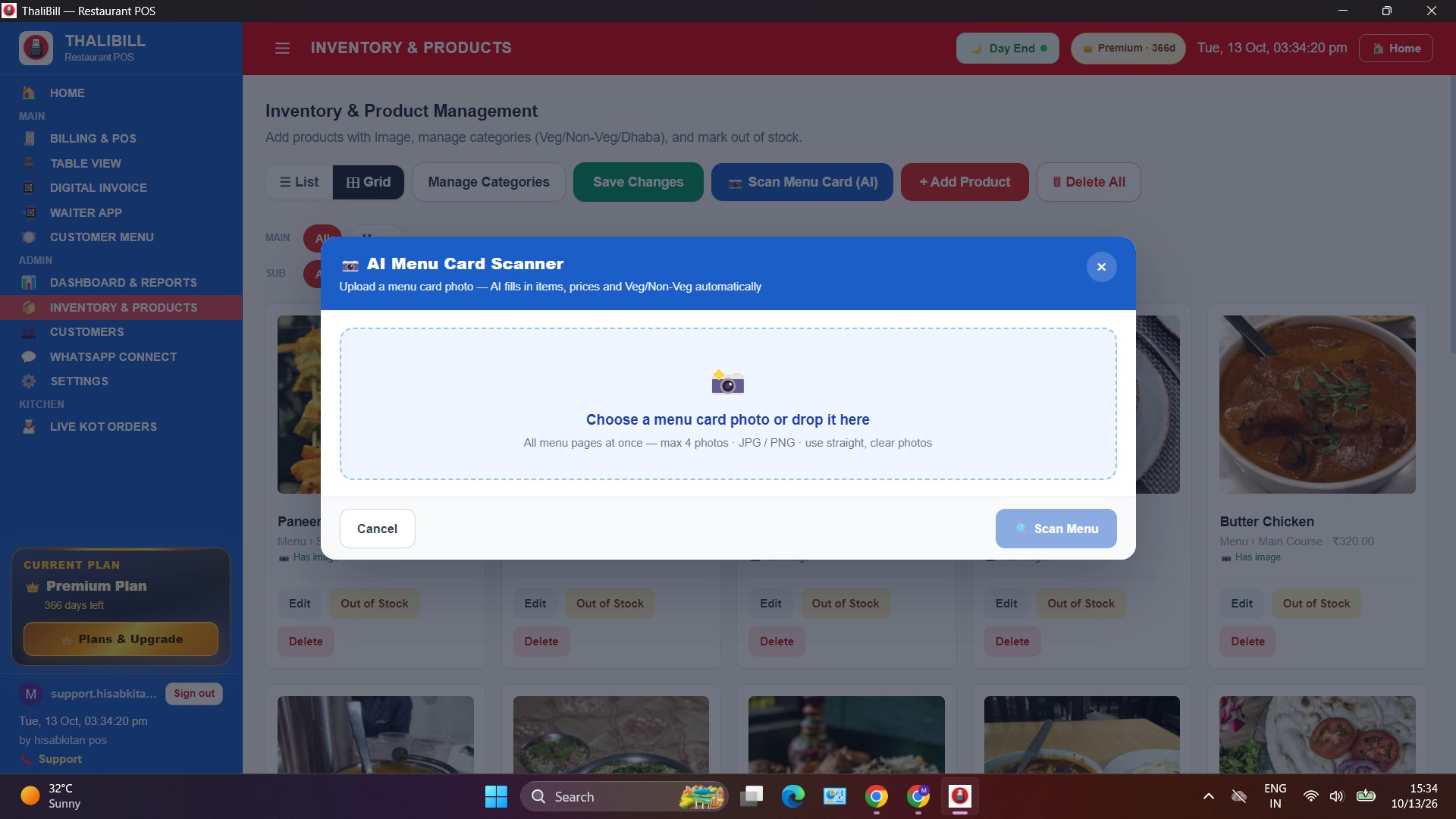
AI menu scanner
A photo of the menu card fills in items, prices, and Veg / Non-Veg categories.
Waiter app
The waiter scans a QR on their phone and takes the order. The KOT goes straight to the POS and the kitchen.
Tables and online orders
Dine-in tables, Swiggy, Zomato, takeaway, and parcel orders in one table view.
Customer QR menu
A guest scans the table QR, sees the menu, and orders without downloading an app.
Sales reports
A 7-day sales graph, popular dishes, and category-wise menu sales.
Inventory
Products with photos, categories, and an out-of-stock mark.
GST and print
GST, discount, WhatsApp invoice, and a 58mm or 80mm thermal bill preview.
Screens from the Play Store app.
The same hotel and restaurant work, on the phone. Get it on Google Play

Home
Billing, tables, kitchen, digital invoice, reports, and inventory.

Billing
Menu with photos, veg filters, Swiggy orders, and the cart.

Tables
Hotel layout with vacant, KOT pending, occupied, Swiggy, and Zomato.

Inventory
Add products with photos, manage categories, and mark out of stock.
Screens from the Windows app.
Product screens from the Microsoft Store listing, one after another.
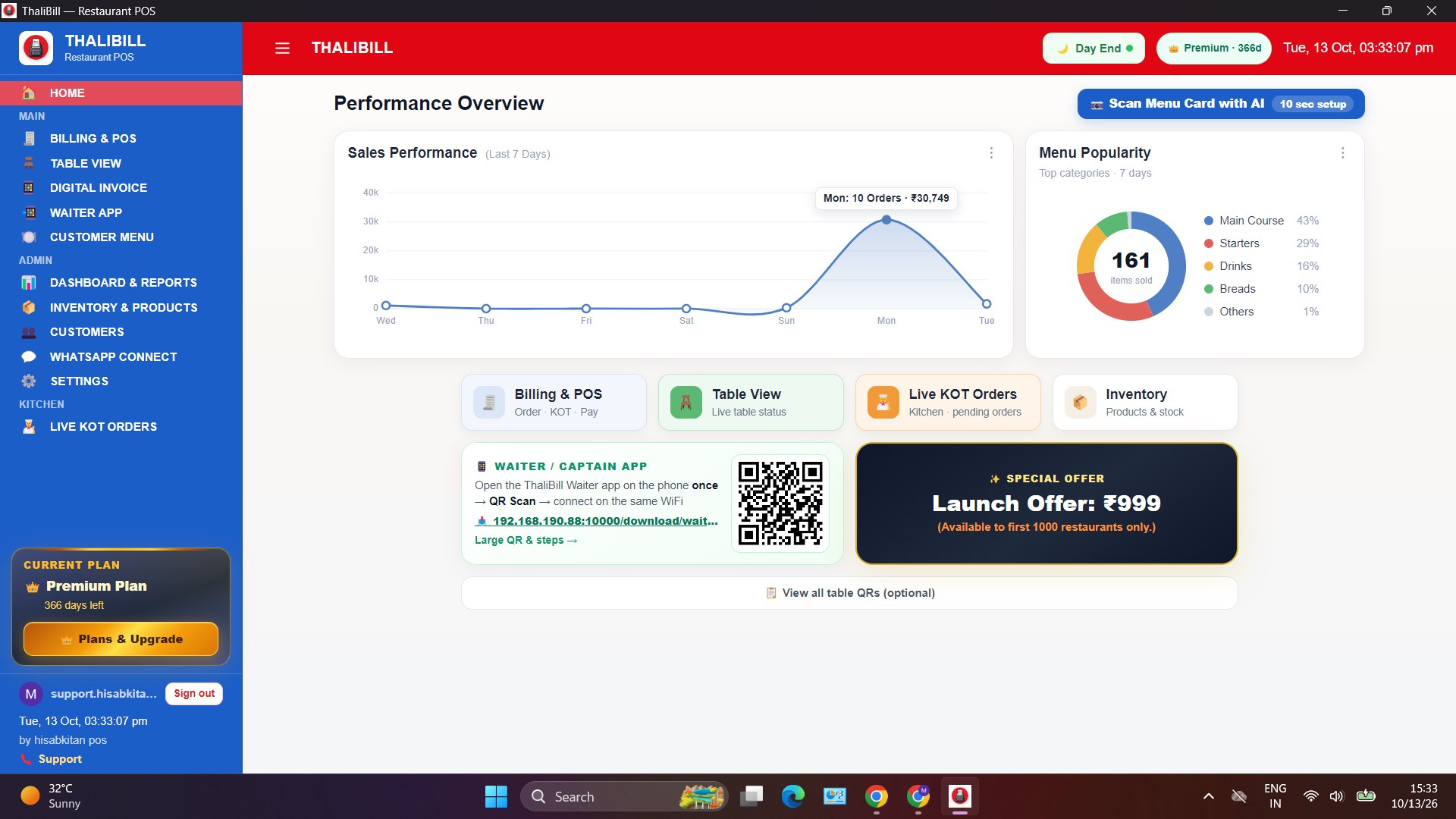
Sales, menu, and today’s work.
A 7-day sales graph, menu popularity, and shortcuts: Billing, Table View, Live KOT, Inventory, and the waiter app.
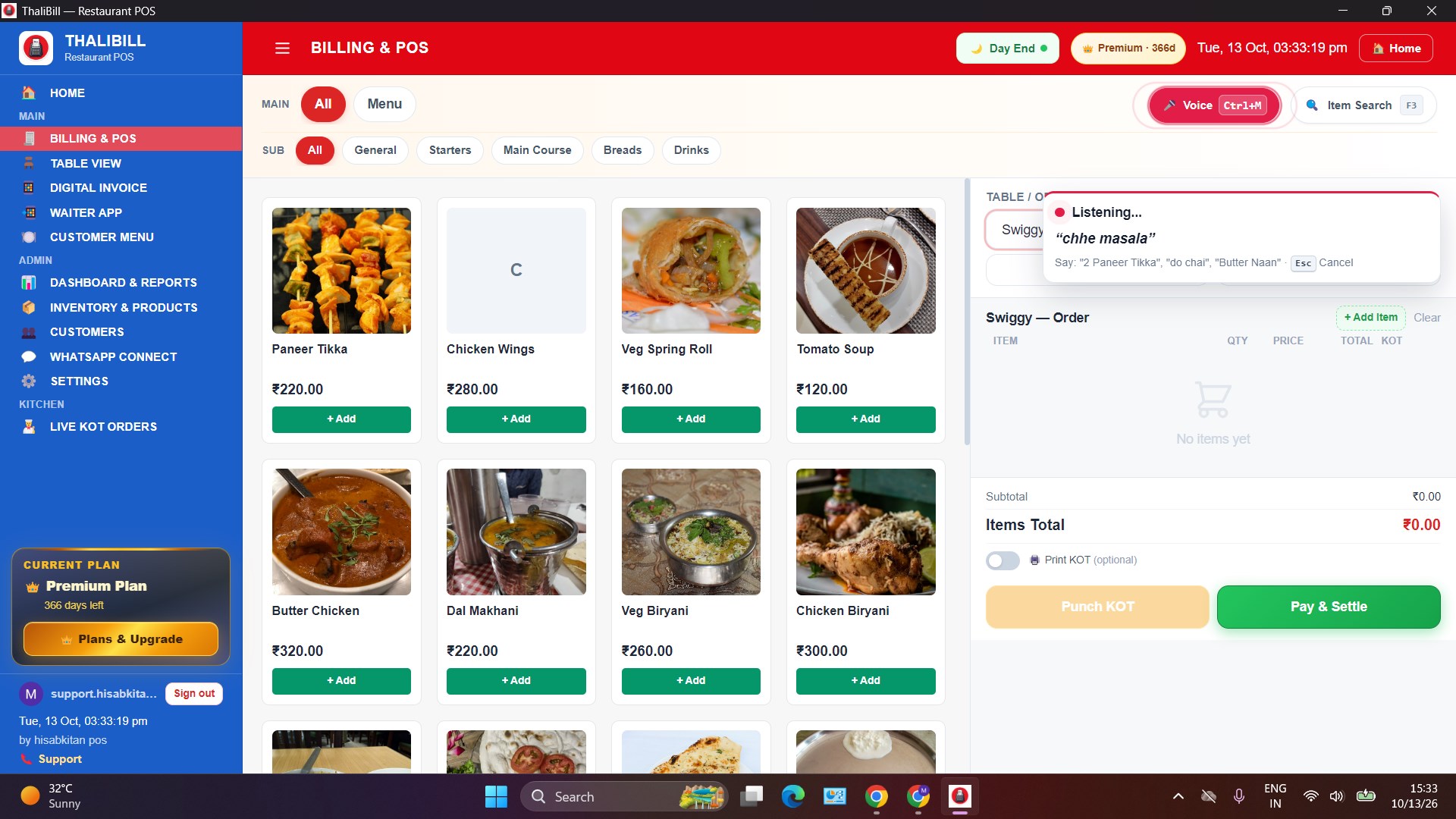
Menu grid, voice order, Pay and Settle.
Dishes by category, with quantity and KOT. Speak to add an item. Punch KOT or Pay and Settle.
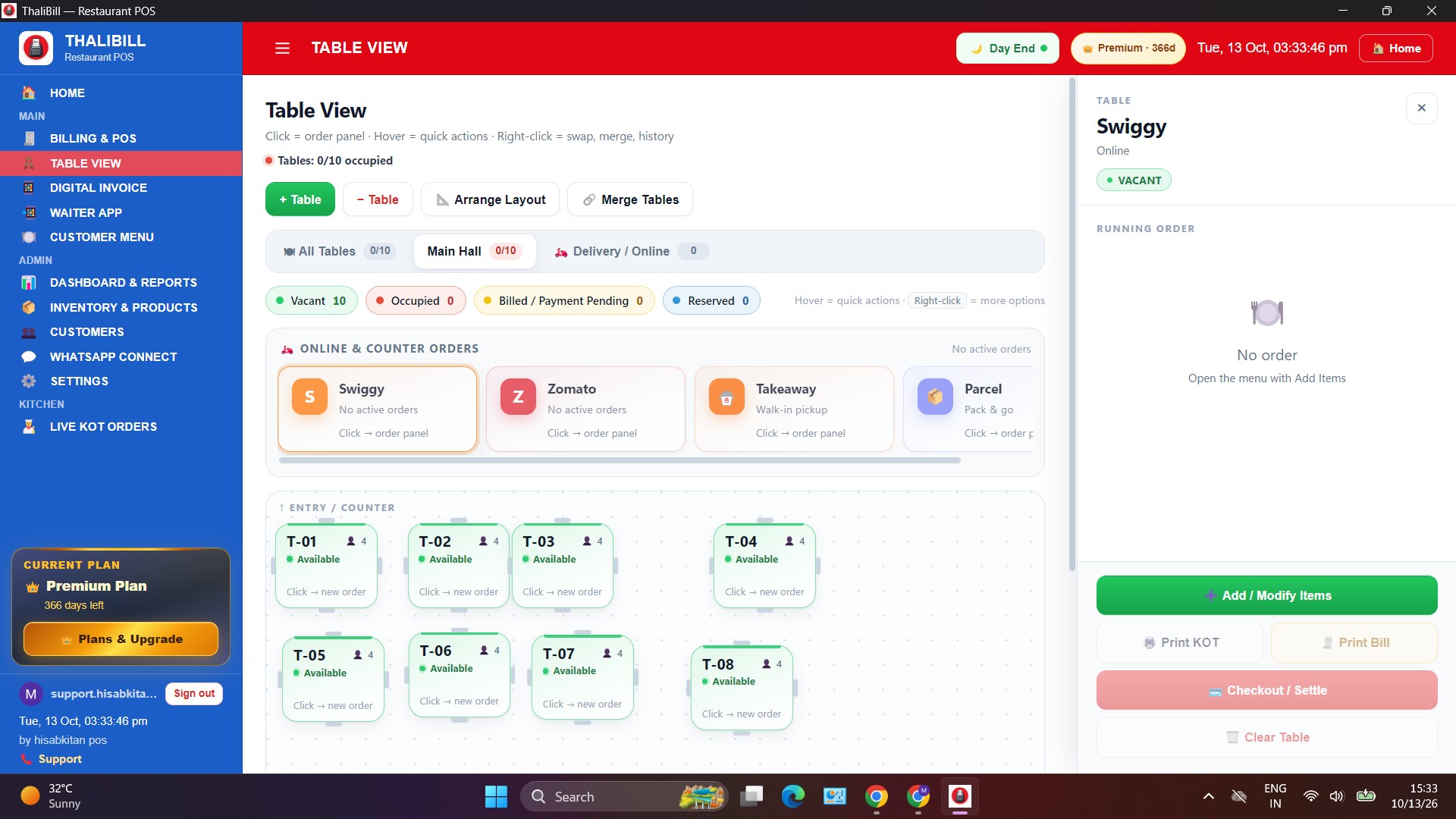
Hall, Swiggy, Zomato, takeaway.
Tables show as vacant, occupied, billed, or reserved. Swiggy, Zomato, takeaway, and parcel orders sit beside them. Print KOT, print bill, or check out.
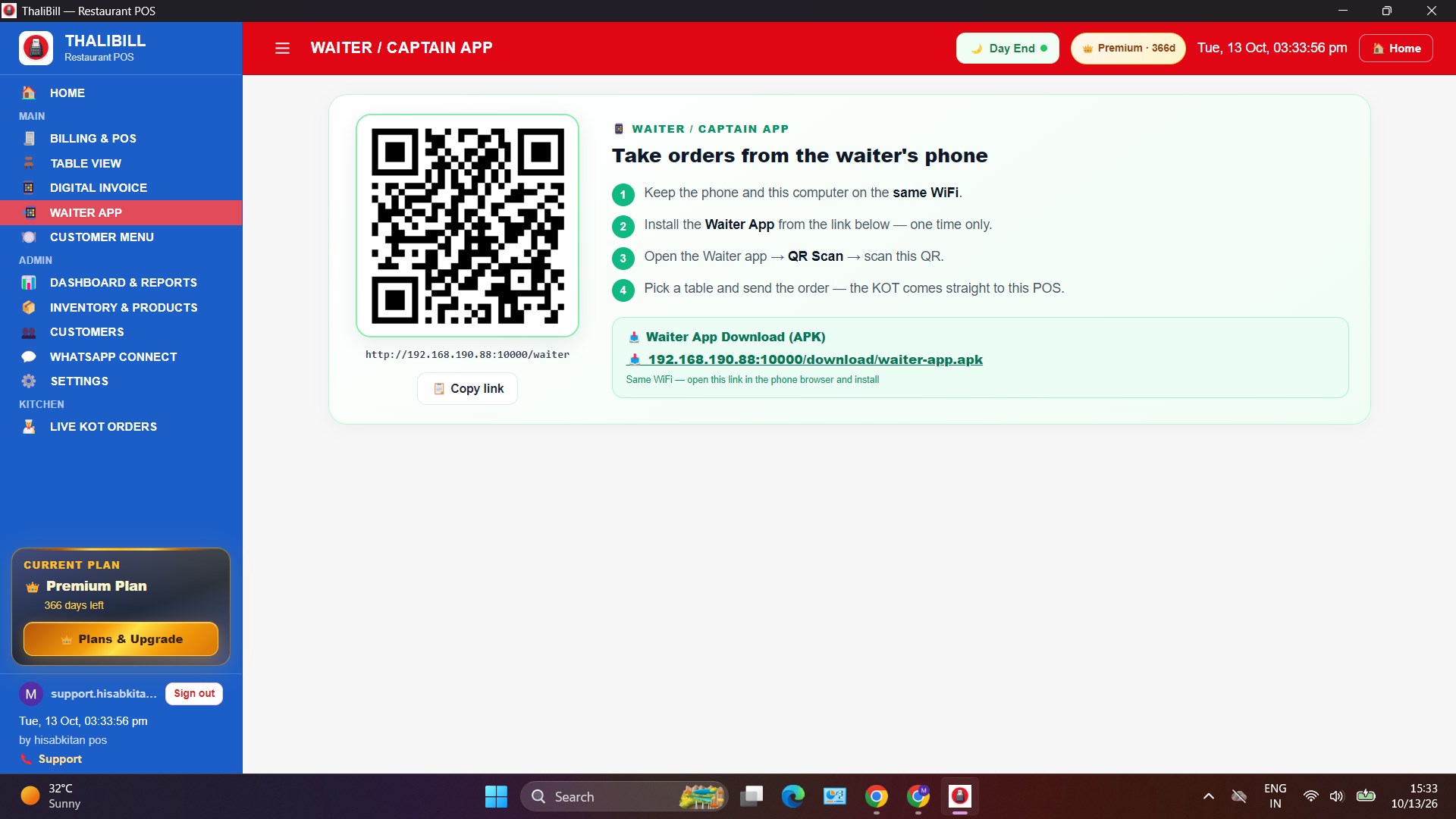
Order on the phone, KOT on the POS.
Install the waiter app once on the same Wi-Fi. Scan the QR and choose the table. The order’s KOT arrives in this POS.
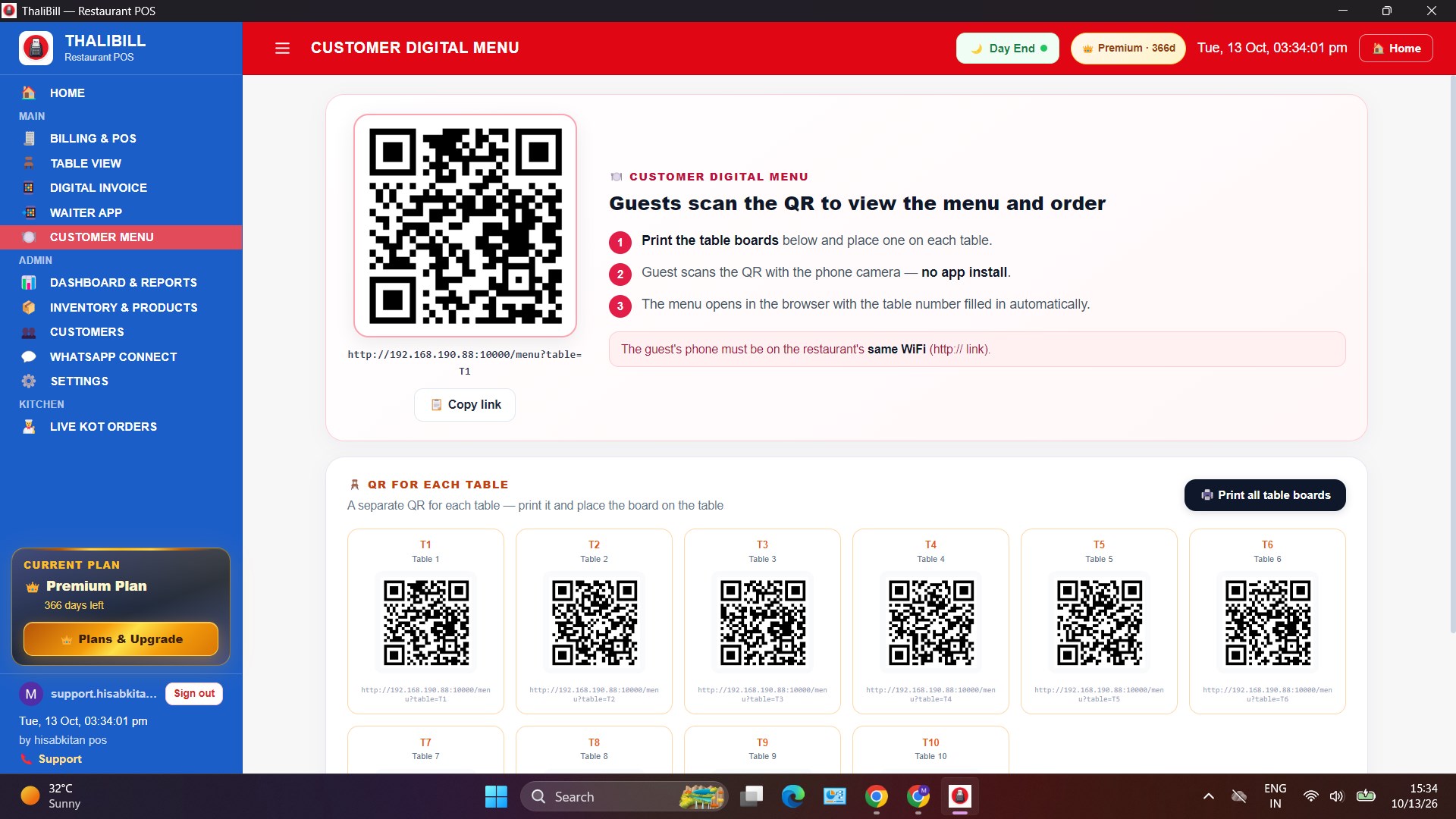
A separate QR for every table.
The guest scans the QR with their phone camera. The menu opens in the browser, with no app to install. The table number is already filled in.
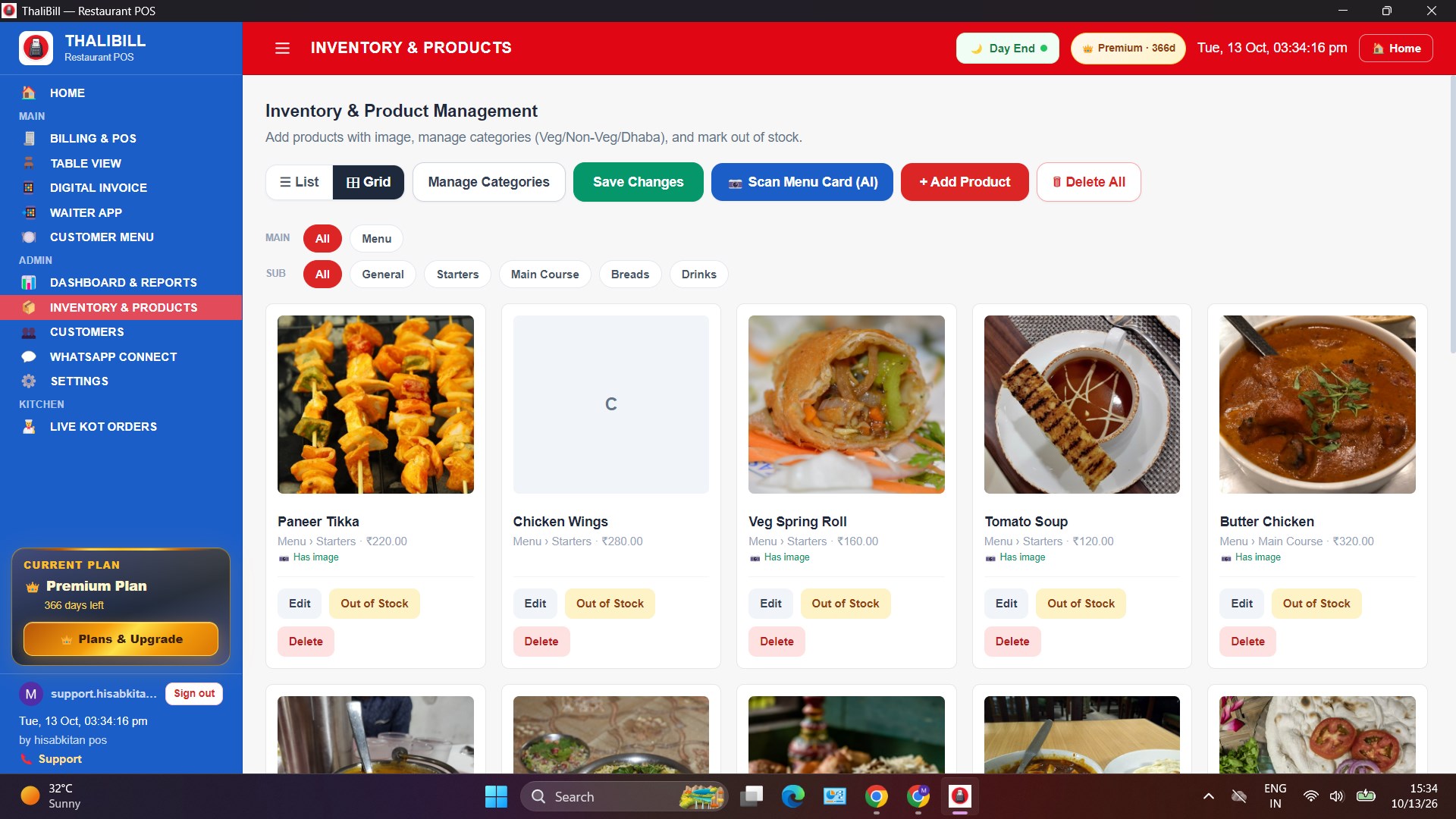
Photo, price, and out of stock.
Dishes with images. Categories: Veg, Non-Veg, Dhaba. Edit, delete, or mark Out of Stock. Scan a menu card to fill a new menu.
Photograph the menu card. Items fill in.
Up to 4 photos at once. AI fills items, prices, and Veg / Non-Veg. A straight, clear photo gives the best result.
58mm or 80mm bill, with a live preview.
USB or Bluetooth thermal printer. Auto print, silent print, and a payment QR on the bill. The preview shows the GST invoice.